
Compliance
Breezway takes compliance with the National Construction Code and relevant Australian Standards seriously. Our Altair Louvre Windows are extensively tested to prove their compliance. This allows us to offer clear advice based on hundreds of test results.
Compliant Code
Ensure your window is compliant!
All windows and external doors for the Australian market (whether made from timber, aluminium, uPVC or other materials) are required to undergo performance tests in accordance with AS4420.1 to verify performance claims including:
- Deflection Test
- Operating Force Test
- Air Infiltration Test
- Water Penetration Resistance Test
- Ultimate Strength Test
All window manufacturers must therefore label their windows with their identification mark along with the product's window rating and water penetration resistance.
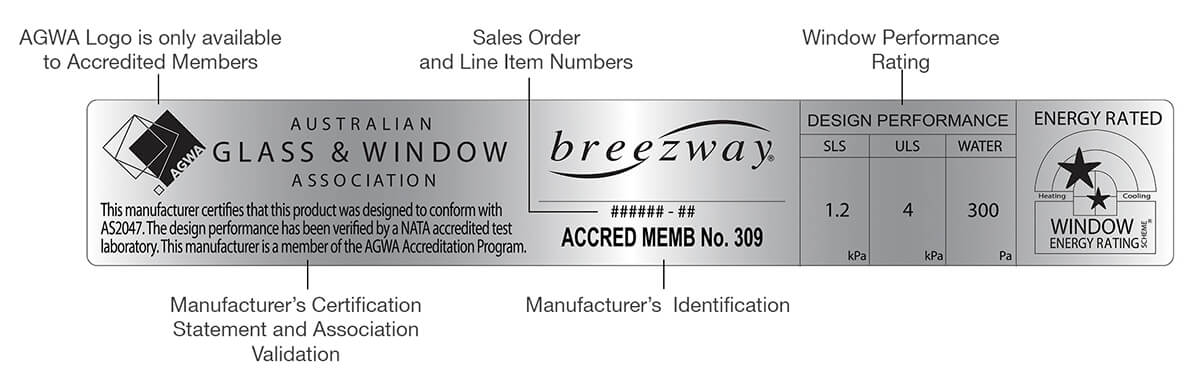
AS2047 Product Performance Warranty
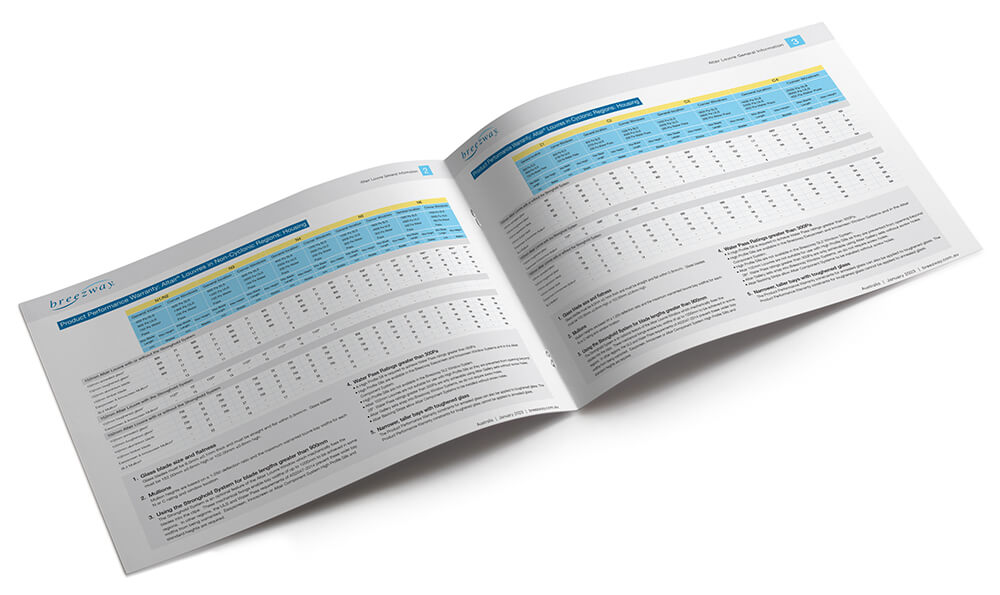
Altair Louvre Windows are designed to exceed the requirements of AS2047-2014 “Windows and External Glazed Doors in Buildings".
The following tables define the window design and construction constraints that must be followed to ensure compliance with AS2047-2014. By adjusting the window height, width, blade type, number of bays and frame type a designer will typically be able to specify a window to suit their design, even in extreme conditions.
Window Energy Ratings
Altair Louvre Windows can comfortably comply with the energy efficiency requirements of Section J and Part 3.12.2 of the National Construction Code in all climate zones, with high window area to floor area ratios possible in most climate zones when appropriate glazing and shading are used.
Various energy efficient glazing options are available to meet local requirements (with U-values ranging from 2.4 to 6.9) however external screens can also deliver additional insulating and shading benefits.
Note: The Breezway Easyscreen System is the only Window System energy rated in WERS with permanent, externally fitted metal mesh screens.
For more information, we have a range of Technical Bulletins and Performance Reports available on the energy ratings of different blade types from our Downloads page.
To assess compliance, please use the Glazing Calculators created by the Australian Building Codes Board from abcb.gov.au
Changes to window size, glazing type, orientation and shading devices for each climate zone and building type can impact compliance.
WERS Certified Products Directory – AFRC
Residential ratings are available from werslink.com.au.
Commercial ratings are available from werslink.com.au.
Warm Climates
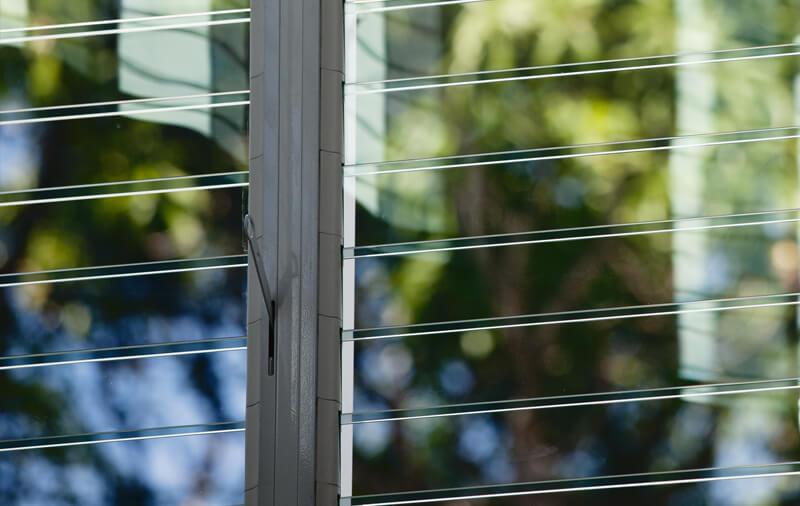
The shading offered by tinted glass blades reduces the amount of hot sunlight entering a building and has a positive impact on the window’s energy rating.
Cold & Mixed Climates
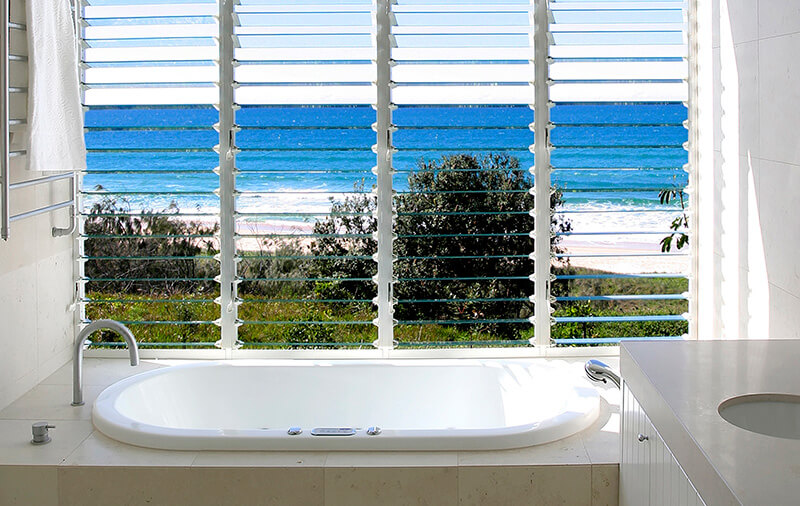
The insulating properties of clear low e glass blades give comparative thermal performance to clear double glazing.
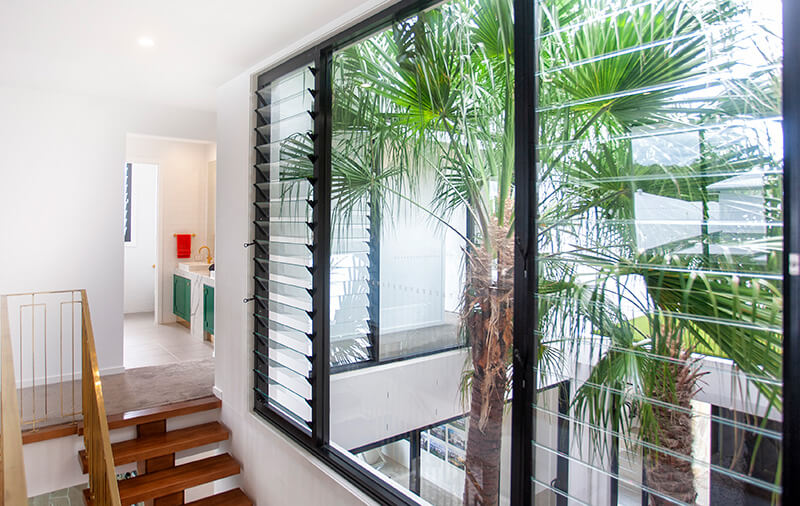
Extreme Climates
Louvre/Fixed combinations are great for achieving good ventilation and very low U-values.
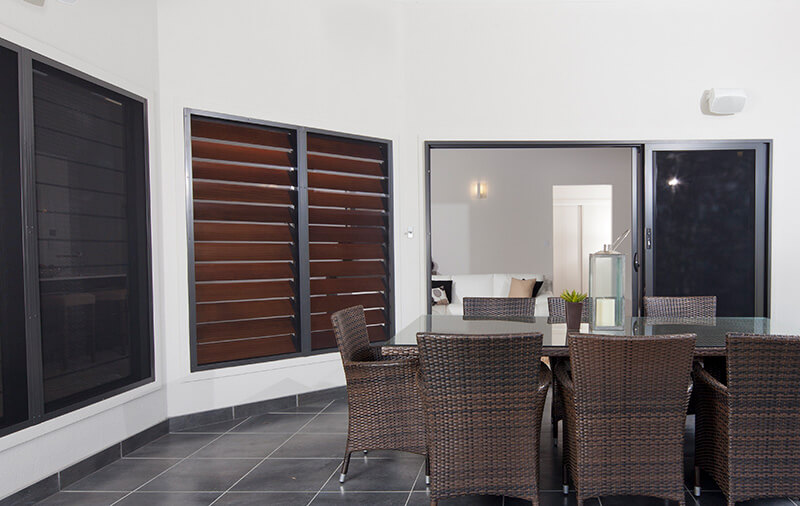
Screens
External metal mesh screens have WERS ratings and deliver additional insulating and shading benefits to Altair Louvre Windows.
WERS Table
Altair Louvres meet U-value requirements for energy efficiency in all climate zones.
WERS Certified Products Directory – AFRC
Residential ratings are available from werslink.com.au.
Commercial ratings are available from werslink.com.au.
| Blade Type | WERS Windows ID | WERS Glazing Code | WERS Cooling Stars9 | WERS Heating Stars9 | Uw6 | SHGC7 | Tvw8 |
|---|---|---|---|---|---|---|---|
Easyscreen Louvre Single Glaze1 | |||||||
| 6mm SolTech Grey | BRZ-006-304 | 6SolTGy |  |  | 4.6 | 0.28 | 0.23 |
| 6mm Planibel G on Grey | BRZ-006-303 | 6PbGGy | | | 4.6 | 0.36 | 0.29 |
| 6mm EnergyTech Grey | BRZ-006-302 | 6ETGy | |  | 4.6 | 0.36 | 0.30 |
| 6mm Sunergy Grey | BRZ-006-301 | 6SnGy | | | 4.8 | 0.31 | 0.25 |
| 6mm Solar E Clear | BRZ-006-300 | 6SolarE | |  | 4.5 | 0.40 | 0.45 |
| 6mm Planibel G | BRZ-006-010 | 6Pb |  | | 4.6 | 0.54 | 0.61 |
| 6mm Sunergy | BRZ-006-009 | 6Sn | | | 4.9 | 0.46 | 0.51 |
| 6mm SolTech Neutral | BRZ-006-11 | 6SolT Ntl |  | | 4.5 | 0.41 | 0.48 |
| 6mm thick clear glass | BRZ-006-01 | 6Clr | | | 6.2 | 0.64 | 0.68 |
| 6mm thick grey tinted glass | BRZ-006-07 | 6Gy |  |  | 6.2 | 0.51 | 0.49 |
| 6mm thick Solar E glass | BRZ-006-300 | 6SolarE | | | 4.5 | 0.4 | 0.45 |
| 6mm thick bronze tinted glass | BRZ-006-02 | 6Bz | | | 6.2 | 0.48 | 0.39 |
| 6mm thick green tinted glass | BRZ-006-06 | 6Gn | |  | 6.2 | 0.46 | 0.57 |
| 6mm thick super green tinted glass | BRZ-006-05 | 6SG | | | 6.2 | 0.4 | 0.5 |
| 6mm thick clear low E glass2 | BRZ-006-08 | 6LE |  | | 4.4 | 0.47 | 0.66 |
Easyscreen Louvre Single Glazed - Crimsafe Security Screen 3 | |||||||
| 6mm thick clear glass | BRZ-990-01 | 6Clr |  | | 4.6 | 0.3 | 0.27 |
| 6mm thick grey tinted glass | BRZ-990-07 | 6Gy | | | 4.6 | 0.24 | 0.13 |
| 6mm thick bronze tinted glass | BRZ-990-02 | 6Brz | | | 4.6 | 0.25 | 0.15 |
| 6mm thick green tinted glass | BRZ-990-06 | 6Gn | | | 4.6 | 0.25 | 0.23 |
| 6mm thick super green tinted glass | BRZ-990-05 | 6SpGn |  | | 4.6 | 0.23 | 0.2 |
| 6mm thick clear low E glass2 | BRZ-990-08 | 6ET | | | 3.6 | 0.25 | 0.25 |
Easyscreen Louvre Single Glazed - Invisigard Security Screen3 | |||||||
| 6mm thick clear glass | BRZ-991-01 | 6Clr | | | 4.5 | 0.31 | 0.28 |
| 6mm thick grey tinted glass | BRZ-991-07 | 6Gy | | | 4.5 | 0.26 | 0.13 |
| 6mm thick bronze tinted glass | BRZ-991-02 | 6Brz | | | 4.5 | 0.27 | 0.16 |
| 6mm thick green tinted glass | BRZ-991-06 | 6Gn | | | 4.5 | 0.26 | 0.24 |
| 6mm thick super green tinted glass | BRZ-991-05 | 6SpGn | | | 4.5 | 0.25 | 0.21 |
| 6mm thick clear low E glass2 | BRZ-991-08 | 6ET | | | 3.6 | 0.26 | 0.26 |
Easyscreen Louvre Single Glazed - Prowler Proof ForceField Security Screen 3 | |||||||
| 6mm thick clear glass | BRZ-992-01 | 6Clr | | | 4.5 | 0.31 | 0.28 |
| 6mm thick grey tinted glass | BRZ-992-07 | 6Gy | | | 4.5 | 0.25 | 0.13 |
| 6mm thick bronze tinted glass | BRZ-992-02 | 6Brz | | | 4.5 | 0.26 | 0.16 |
| 6mm thick green tinted glass | BRZ-992-06 | 6Gn | | | 4.5 | 0.26 | 0.24 |
| 6mm thick super green tinted glass | BRZ-992-05 | 6SpGn | | | 4.5 | 0.24 | 0.21 |
| 6mm thick clear low E glass2 | BRZ-992-08 | 6ET | | | 3.6 | 0.26 | 0.26 |
Easyscreen Fixed Lite Single Glazed1 | |||||||
| 6mm EnergyTech Grey | BRZ-007-301 | 6ETGy | | | 4.3 | 0.40 | 0.34 |
| 6mm thick clear glass | BRZ-007-01 | 6Clr |  | | 6.2 | 0.72 | 0.76 |
| 6mm thick Solar E glass | BRZ-007-300 | 6SolarE | | | 4.3 | 0.45 | 0.51 |
| 6mm thick grey tinted glass | BRZ-007-07 | 6Gy |  | | 6.2 | 0.56 | 0.55 |
| 6mm thick bronze tinted glass | BRZ-007-02 | 6Bz | | | 6.2 | 0.53 | 0.43 |
| 6mm thick green tinted glass | BRZ-007-06 | 6Gn | | | 6.2 | 0.51 | 0.64 |
| 6mm thick super green tinted glass | BRZ-007-05 | 6SG | | | 6.2 | 0.44 | 0.56 |
| 6mm thick clear low E glass2 | BRZ-007-08 | 6LE | |  | 4.1 | 0.53 | 0.74 |
SL2 Louvre Single Glazed1 | |||||||
| 6mm SolTech Grey | BRZ-003-304 | 6SolTGy | | | 4.3 | 0.30 | 0.24 |
| 6mm Planibel G on Grey | BRZ-003-303 | 6PbGGy | | | 4.3 | 0.38 | 0.30 |
| 6mm EnergyTech Grey | BRZ-003-302 | 6ETGy | | | 4.3 | 0.38 | 0.31 |
| 6mm Sunergy Grey | BRZ-003-301 | 6SnGy | | | 4.6 | 0.33 | 0.26 |
| 6mm thick clear glass | BRZ-003-01 | 6Clr | | | 6 | 0.72 | 0.52 |
| 6mm thick grey tinted glass | BRZ-003-02 | 6Gy | | | 6 | 0.5 | 0.26 |
| 6mm thick super grey tinted glass | BRZ-003-06 | 6SpGy | | | 6 | 0.31 | 0.05 |
| 6mm thick bronze tinted glass | BRZ-003-03 | 6Bz | | | 6 | 0.54 | 0.32 |
| 6mm thick evergreen tinted glass | BRZ-003-04 | 6EG | | | 6 | 0.46 | 0.39 |
| 6mm thick Solar E glass | BRZ-003-300 | 6SolarE | | | 4.3 | 0.43 | 0.47 |
| 6mm thick arctic blue tinted glass | BRZ-003-05 | 6AB | | | 6 | 0.46 | 0.33 |
| 6mm thick clear low E glass2 | BRZ-003-13 | 6LE | | | 4.1 | 0.62 | 0.48 |
Innoscreen Louvre Single Glazed1 | |||||||
| 6mm SolTech Grey | BRZ-009-303 | 6SolTGy | | | 5.6 | 0.29 | 0.22 |
| 6mm Planibel G on Grey | BRZ-009-302 | 6PbGGy | | | 5.6 | 0.36 | 0.28 |
| 6mm Sunergy Grey | BRZ-009-301 | 6SnGy | | | 5.8 | 0.32 | 0.24 |
| 6mm thick clear glass | BRZ-009-01 | 6Clr | | | 6.9 | 0.63 | 0.63 |
| 6mm thick solar E glass | BRZ-009-300 | 6SolarE | | | 5.6 | 0.41 | 0.43 |
| 6mm thick grey tinted glass | BRZ-009-02 | 6Gy | | N/A | 6.9 | 0.50 | 0.46 |
| 6mm thick green tinted glass | BRZ-009-08 | 6Gn | | N/A | 6.9 | 0.45 | 0.54 |
| 6mm thick ever green tinted glass | BRZ-009-09 | 6EG | | N/A | 6.9 | 0.40 | 0.47 |
| 6mm thick EnergyTech clear glass2 | BRZ-009-03 | 6ET | | | 5.5 | 0.53 | 0.58 |
| 6mm thick EnergyTech grey glass2 | BRZ-009-07 | 6ETGy | | | 5.6 | 0.37 | 0.28 |
| 6mm thick SolTech Neutral glass2 | BRZ-009-05 | 6SolTNtl | | | 5.6 | 0.41 | 0.45 |
| 6mm thick Sunergy glass2 | BRZ-009-06 | 6Sn | | | 5.8 | 0.46 | 0.48 |
Innoscreen Fixed Lite Single Glazed1 | |||||||
| 6mm thick clear glass | BRZ-008-01 | 6Clr | | | 6.3 | 0.73 | 0.76 |
| 6mm thick Solar E glass | BRZ-008-300 | 6SolarE | | | 4.5 | 0.46 | 0.51 |
| 6mm thick grey tinted glass | BRZ-008-02 | 6Gy | | | 6.3 | 0.58 | 0.55 |
| 6mm thick green tinted glass | BRZ-008-08 | 6Gn | | | 6.3 | 0.52 | 0.64 |
| 6mm thick ever green tinted glass | BRZ-008-09 | 6EG | | | 6.3 | 0.46 | 0.56 |
| 6mm thick EnergyTech clear glass2 | BRZ-008-03 | 6ET | | | 4.5 | 0.61 | 0.69 |
| 6mm thick EnergyTech grey glass2 | BRZ-008-07 | 6ETGy | | | 4.6 | 0.41 | 0.34 |
| 6mm thick SolTech Neutral glass2 | BRZ-008-05 | 6SolTNtl | | | 4.5 | 0.47 | 0.54 |
| 6mm thick Sunergy glass2 | BRZ-008-06 | 6Sn | | | 4.9 | 0.52 | 0.58 |
Altair Louvre Components in Timber Frame Single Glazed1 | |||||||
| 6mm SolTech Grey | BRZ-005-305 | 6SolTGy | | | 3.6 | 0.25 | 0.20 |
| 6mm Planibel G on Grey | BRZ-005-304 | 6PbGGy | | | 3.6 | 0.32 | 0.26 |
| 6mm Sunergy Grey | BRZ-005-303 | 6SnGy | | | 3.9 | 0.28 | 0.22 |
| 6mm thick clear glass | BRZ-005-01 | 6Clr | | | 4.9 | 0.58 | 0.62 |
| 6mm thick grey tinted glass | BRZ-005-02 | 6Gy | | | 4.9 | 0.41 | 0.29 |
| 6mm thick super grey tinted glass | BRZ-005-06 | 6SoGy | | | 4.9 | 0.25 | 0.06 |
| 6mm thick bronze tinted glass | BRZ-005-03 | 6Bz | | | 4.9 | 0.44 | 0.34 |
| 6mm thick Solar E glass | BRZ-005-302 | 6SolarE | | | 3.4 | 0.37 | 0.41 |
| 6mm thick evergreen tinted glass | BRZ-005-04 | 6EG | | | 4.9 | 0.37 | 0.47 |
| 6mm thick arctic blue tinted glass | BRZ-005-05 | 6AB | | | 4.9 | 0.37 | 0.37 |
| 6mm thick clear low E glass2 | BRZ-005-13 | 6LE | |  | 3.4 | 0.49 | 0.57 |
| 6mm thick Sunergy glass2 | BRZ-005-14 | 6Sn | | | 3.7 | 0.42 | 0.48 |
Dualair Louvre in Alspec Hunter EVO 150mm Acoustic Frame Secondary Glazed11 | |||||||
| 6mm Clear / 101mm Air Gap / 6mm Clear | BRZ-010-01 | 6Clr/101/6Clr | | | 3.8 | 0.46 | 0.48 |
| 6mm LowE (#2)10 / 101mm Air Gap / 6mm Clear | BRZ-010-02 | 6LE/101/6Clr |  | | 3.2 | 0.15 | 0.14 |
| 6mm LowE (#2)10 / 101mm Air Gap / 6mm LowE (#2)10 | BRZ-010-03 | 6LE/101/6LE |  | | 2.9 | 0.11 | 0.05 |
| 6mm EnergyTech (#2)10 / 101mm Air Gap / 6mm Clear | BRZ-010-04 | 6ET/101/6Clr | | | 3.4 | 0.40 | 0.44 |
| 6mm EVantage Clear (#2)10 / 101mm Air Gap / 6mm Clear | BRZ-010-05 | 6EVanClr/101/6Clr | | | 3.4 | 0.37 | 0.38 |
Dualair Louvre in Alspec McArthur EVO 150mm Centre Pocket Frame Secondary Glazed11 | |||||||
| 6mm Clear / 101mm Air Gap / 6mm Clear | BRZ-011-01 | 6Clr/101/6Clr | | | 3.4 | 0.47 | 0.49 |
| 6mm LowE (#2)10 / 101mm Air Gap / 6mm Clear | BRZ-011-02 | 6LE/101/6Clr |  | | 2.8 | 0.14 | 0.14 |
| 6mm LowE (#2)10 / 101mm Air Gap / 6mm LowE (#2)10 | BRZ-011-03 | 6LE/101/6LE | | | 2.4 | 0.10 | 0.05 |
| 6mm EnergyTech (#2)10 / 101mm Air Gap / 6mm Clear | BRZ-011-04 | 6ET/101/6Clr | | | 3.0 | 0.40 | 0.45 |
| 6mm EVantage Clear (#2)10 / 101mm Air Gap / 6mm Clear | BRZ-011-05 | 6EVClr/101/6Clr | | | 3.0 | 0.37 | 0.39 |
IGLU Louvre Components in Timber Frame Double Glazed | |||||||
| 5mm Planibel G (#2)10 / 12mm Argon / 5mm Planibel G (#3)10 | BZW-012-01 | 5PbG/12Ar/5PbG | | | 2.6 | 0.4 | 0.43 |
Easyscreen IGLU Louvre Double Glazed | |||||||
| 5mm Planibel G (#2)10 / 12mm Argon / 5mm Planibel G (#3)10 | BZW-014-01 | 5PbG/12Ar/5PbG | | | 3.6 | 0.41 | 0.44 |
Easyscreen IGU Fixed Lite Double Glazed | |||||||
| 4mm Clear / 10mm Argon Gap / 4mm Clear | BRZ-015-01 | 4Clr/10Ar/4Clr | |  | 3.4 | 0.64 | 0.68 |
| 4mm Clear / 10mm Argon Gap / 4mm EnergyTech (#3)10 | BRZ-015-02 | 4Clr/10Ar/4ET | | | 2.7 | 0.60 | 0.63 |
| 4mm EnergyTech (#2)10 / 10mm Argon Gap / 4mm EnergyTech (#3)10 | BRZ-015-03 | 4ET/10Ar/4ET | | | 2.6 | 0.52 | 0.58 |
| 4mm Clear / 10mm Argon Gap / 4mm Sunergy (#3)10 | BRZ-015-04 | 4Clr/10Ar/4Sn | | | 2.9 | 0.57 | 0.52 |
| 5mm Clear / 8mm Argon Gap / 5mm Clear | BRZ-015-05 | 5Clr/8Ar/5Clr | |  | 3.5 | 0.61 | 0.66 |
| 5mm Clear / 8mm Argon Gap / 5mm EnergyTech (#3)10 | BRZ-015-06 | 5Clr/8Ar/5ET | | | 2.8 | 0.57 | 0.61 |
| 5mm EnergyTech (#2)10 / 8mm Argon Gap / 5mm EnergyTech (#3)10 | BRZ-015-07 | 5ET/8Ar/5ET | | | 2.7 | 0.51 | 0.57 |
| 4mm Clear / 12mm Argon Gap / 4mm Clear | BRZ-015-08 | 4Clr/12Ar/4Clr | | | 3.4 | 0.64 | 0.67 |
| 4mm Clear / 12mm Argon Gap / 4mm EnergyTech (#3)10 | BRZ-015-09 | 4Clr/12Ar/4ET | | | 2.6 | 0.60 | 0.63 |
| 4mm EnergyTech (#2)10 / 12mm Argon Gap / 4mm EnergyTech (#3)10 | BRZ-015-10 | 4ET/12Ar/4ET | | | 2.5 | 0.52 | 0.58 |
| 4mm Clear / 12mm Argon Gap / 4mm Sunergy (#3)10 | BRZ-015-11 | 4Clr/12Ar/4Sn | | | 2.8 | 0.58 | 0.52 |
| 5mm Clear / 10mm Argon Gap / 5mm Clear | BRZ-015-12 | 5Clr/10Ar/5Clr | | | 3.4 | 0.61 | 0.66 |
| 5mm Clear / 10mm Argon Gap / 5mm EnergyTech (#3)10 | BRZ-015-13 | 5Clr/10Ar/5ET | | | 2.7 | 0.57 | 0.61 |
| 5mm EnergyTech (#2)10 / 10mm Argon Gap / 5mm EnergyTech (#3)10 | BRZ-015-14 | 5ET/10Ar/5ET | | | 2.6 | 0.51 | 0.57 |
| 6mm Clear / 8mm Argon Gap / 6mm Clear | BRZ-015-15 | 6Clr/8Ar/6Clr | | | 3.5 | 0.60 | 0.66 |
| 6mm Clear / 8mm Argon Gap / 6mm EnergyTech (#3)10 | BRZ-015-16 | 6Clr/8Ar/6ET | | | 2.8 | 0.57 | 0.61 |
| 6mm EnergyTech (#2)10 / 8mm Argon Gap / 6mm EnergyTech (#3)10 | BRZ-015-17 | 6ET/8Ar/6ET | | | 2.7 | 0.50 | 0.56 |
| 6mm Clear / 8mm Argon Gap / 6mm Sunergy (#3)10 | BRZ-015-19 | 6Clr/8Ar/6Sn | | | 3.0 | 0.55 | 0.51 |
| 5mm Clear / 14mm Argon Gap / 5mm Clear | BRZ-015-20 | 5Clr/14Ar/5Clr | | | 3.3 | 0.61 | 0.66 |
| 5mm Clear / 14mm Argon Gap / 5mm EnergyTech (#3)10 | BRZ-015-21 | 5Clr/14Ar/5ET | | | 2.6 | 0.58 | 0.61 |
| 5mm EnergyTech (#2)10 / 14mm Argon Gap / 5mm EnergyTech (#3)10 | BRZ-015-22 | 5ET/14Ar/5ET | | | 2.5 | 0.51 | 0.57 |
| 6mm Clear / 12mm Argon Gap / 6mm Clear | BRZ-015-23 | 6Clr/12Ar/6Clr | | | 3.3 | 0.60 | 0.66 |
| 6mm Clear / 12mm Argon Gap / 6mm EnergyTech (#3)10 | BRZ-015-24 | 6Clr/12Ar/6ET | | | 2.6 | 0.57 | 0.61 |
| 6mm EnergyTech (#2)10 / 12mm Argon Gap / 6mm EnergyTech (#3)10 | BRZ-015-25 | 6ET/12Ar/6ET | | | 2.5 | 0.50 | 0.57 |
| 6mm Clear / 12mm Argon Gap / 6mm Sunergy (#3)10 | BRZ-015-27 | 6Clr/12Ar/6Sn | | | 2.8 | 0.55 | 0.51 |
Ratings by co-principal developer of WERS Dr Peter Lyons
Based on WERS calculation methodology but beyond current AFRC procedures (not available at https://www.awawers.net, only available at www.breezway.com.au)
| Blade Type | Uw | SHGC | Tvw |
|---|---|---|---|
Breezway Easyscreen Altair Louvre Window System - Single Glazed4 |
|||
| 6mm thick hollow extruded aluminium5 | 6.55 | 0.076 | 0 |
Notes:
- Results disclosed at Australian Fenestration Rating Council (AFRC) regulations.
- These blades have a microscopically thin low emissivity coating that is invisible to the naked eye and improves insulation and reduces solar heat gain.
- Security screens are not currently included in AFRC methodology, however Breezway Window Systems with fixed security screens have been simulated to AFRC principles and can be used for compliance as a performance solution. Results disclosed in Standard International Units. Results calculated to the procedures of WERS Screen Rating Methodology, 2012.
- These ratings are not authorised WERS ratings and should be regarded as a research report, they have been generated using the WERS calculation methodology but are beyond current AFRC procedures. Calculated performance indices are suitable for comparison with information on the WERS database.
- As the optical properties of cedar timber and aluminium are not contained in the International Glazing Databse (IGDB), known, default properties were used.
- Uw is the whole window U-value.
- SHGCw is the whole windows solar heat gain co-efficient.
- Tvw is the whole window visible (light) transmittance.
- Star ratings calculated using Nationwide House Energy Rating Software (AccuRate) according to procedures of WERS 2008.
- Numeric values next to Low E glasses e.g. (#2) and (#3) refer to the coated surface of the glazing layer. Secondary glazing figures are treated as two individual glass layers with two surfaces each. Double glazed figures are treated as a single unit with four surfaces. Surfaces counted externally to internally.
- The glazing is reported in the same orientation as it is simulated so that the outside is always on the left, inside is always on the right.
Static Performance (Uw SHGCw Tvw Tdw) calculated using Window 6.3 and Therm 6.3 software (LBNL), 1999-2010.
Louvre Window Acoustic Performance
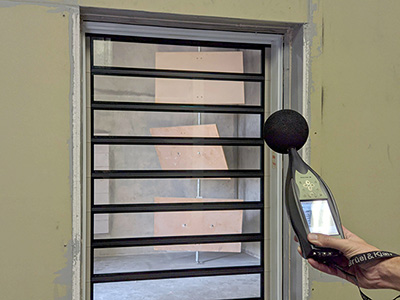
Altair Louvre Windows have been both laboratory and field tested for sound transmission loss. The relatively thick glass and good sealing of our Altair Louvre Windows thus provides an effective noise insulation barrier and can achieve up to Rw35 depending on the window configuration.
Please refer to the Design Manual for more information.
Louvre Windows in Bushfire Prone Areas
The following requirements for using Altair Louvre Windows in bushfire prone areas are based on our interpretation of AS3959-2018 “Construction of Buildings in Bushfire Prone Areas” and bushfire test reports. However we recommend you receive independent advice from an engineer and your local council authority to determine construction level and compliance for your individual circumstance.
AS 3959-2018
Bushfire Attack Level Low
- Louvres and Fixed Lites
- The degree of bushfire attack is considered insufficient to warrant specific construction requirements.
Bushfire Attack Level 12.5 & 19
- Louvres
- Glazing must be toughened glass if the window is within 400mm of the ground or other structures within 18° of the horizontal (such as an eave). Glazing elsewhere may be annealed.
- Louvres are to be screened externally using corrosion-resistant steel, bronze or aluminium mesh.
- Maximum screen aperture size of 2mm in such a way that the entire opening remains screened when the louvre is open.
- Gaps between the screen and the window do not exceed 3mm.
- The mesh or perforated screen must be completely supported by framing made of metal or bushfire resistant timber.
- Fixed Lites
- All single glaze fixed lite glass must be toughened safety glass with a minimum thickness of 5mm.
- All double glazed fixed lite glass must be toughened safety glass with a minimum thickness of 5mm for the outer glazing layer.
Bushfire Attack Level 29
- Louvres
- Louvres are to be Altair Louvres within the Breezway Easyscreen Window System.
- Glazing must be toughened glass.
- Window must be externally screened using corrosion-resistant steel mesh or perforated screens.
- Maximum screen aperture size of 2mm in such a way that the entire opening remains screened when the louvre is open.
- Gaps between the screen and the Breezway Easyscreen window frame do not exceed 3mm.
- The mesh or perforated screen must be completely supported by framing made of metal or bushfire resistant timber.
- Fixed Lites
- All single glaze fixed lite glass must be toughened safety glass with a minimum thickness of 5mm.
- All double glazed fixed lite glass must be toughened safety glass with a minimum thickness of 5mm for the outer glazing layer.
- If glass is within 400mm of the ground or others structures (like decks or eaves) within 18° of horizontal, the window must be externally screened using corrosion- resistant steel, bronze or aluminum mesh, or perforated screens.
- Maximum screen aperture size of 2mm.
- Gaps between the screen and window frame do not exceed 3mm.
- The mesh or perforated screen must be completely supported by framing made of metal or bushfire resistant timber.
Bushfire Attack Level 40
- Louvres
- Louvres are to be Altair Louvres within the Breezway Easyscreen Window System.
- Glazing must be toughened glass.
- Window must be externally screened using corrosion-resistant steel mesh or perforated screens.
- Maximum screen aperture size of 2mm in such a way that the entire opening remains screened when the louvre is open.
- Gaps between the screen and the Breezway Easyscreen window frame do not exceed 3mm.
- The mesh or perforated screen must be completely supported by Easyscreen framing.
- Fixed Lites
- All single glaze fixed lite glass must be toughened safety glass with a minimum thickness of 6mm.
- All double glazed fixed lite glass must be toughened safety glass with a minimum thickness of 6mm for the outer glazing layer.
- All glazing wedge must be of a Flammability Index >5. Glazing wedge supplied by Breezway on glazed and unglazed fixed lites has a Flammability Index >5.
- Window must be externally screened using corrosion-resistant steel or bronze mesh or perforated screens.
- Maximum screen aperture size of 2mm.
- Gaps between the screen and the window frame do not exceed 3mm.
- The mesh or perforated screen must be completely supported by framing made of metal.
Bushfire Attack Level 40 – Alternative Solution for Louvres
- Alspec has completed BAL-40 testing using the Altair Louvre within an aluminium Alspec frame fitted with an Invisi-Gard stainless steel mesh screen. Please refer to www.invisi-gard.com.au/bushfire-testing for more details.
Bushfire Attack Level FZ
- Louvres and Fixed Lites
- Louvre Windows are to be completely protected by compliant bushfire shutters.
Louvre Windows Adjacent to Swimming Pools
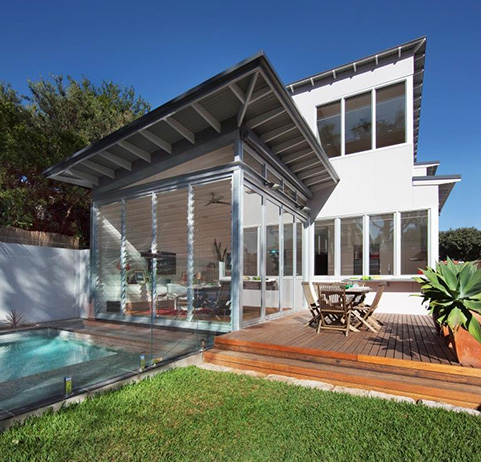
Clause 2.6 of AS1926.1-2012 “Swimming pool safety. Part 1: Safety barriers for swimming pools” defines the requirements for windows opening directly into a pool area. Openable portions of the windows must comply with one of the following:
a. Be totally covered by bars or a metal screen, that are fixed to the building with fasteners that can only be removed by the use of a tool. The opening between bars and the horizontal dimensions of openings in a metal screen shall not be greater than 100mm.
b. Be fixed to the building with fasteners that can only be removed by use of a tool so that it will remain closed or will open to a maximum of 100mm.
Therefore Breezway offers the following solutions to meet compliance:
- 152mm Altair Louvre Window with the Stronghold System and restricted opening to 100mm will comply with AS1926.1-2012 clause 2.6(b).
- 102mm Altair Louvre Window with the Stronghold System will comply with AS1926.1-2012 clause 2.6(b).
For more information including compliance to earlier versions of AS1926, please refer to the Breezway Design Manual for more information.
Window Fall Prevention and Barriers
Altair Louvre Windows can be customised to meet 'Fall Prevention Through Openable Window' requirements of the Building Code of Australia (Clauses 11.3.7, 11.3.8 and D3D29) without compromising on ventilation!
Options include:
- The Stronghold System which mechanically retains the blade inside the clip to minimise the risk of it being dislodged, and restricted openings to limit the size of objects able to pass through the open window.
- Alternatively, Altair Louvres can be installed with screening with their openings restricted to prevent clips from impacting screens in some frames.
To see all the Altair Louvre Window configurations that have passed testing to "AS5203:2016 - Protection of Openable Windows/Fall Prevention please refer to the Breezway Design Manual.
Please note: Altair Louvres with restricted openings or when using the Stronghold System are permanent fixtures which cannot be removed, unlocked or overridden without complex tool usage. Products that can be unlocked or overridden with a simple tool, or by a two-handed operation will require additional barriers to 865mm.
If screens are to be used to provide protection as per Clauses 11.3.7, 11.3.8 and D3D29 then Altair Louvres will not require the Stronghold System or restricted blade openings. However the window frame and securely fitted screen assembly should be tested to AS5203:2016 to ensure that the assembly will not permit a 125mm sphere to pass through it and resist a horizontal outward force of 250N.
Altair Louvre Windows are not a balustrade system. Nor are any other window types. Balustrades are one type of barrier. Altair Louvres with the Stronghold System and restricted openings are another. It is important to ensure that a particular barrier system complies with the relevant Building Codes and associated Standards.